Ivan Danilov
Middle UX/UI Designer
Scalable Icon System
Building a consistent visual language for Outline and Solid icons
Icon Design
Design System

Problems
01
Inconsistent visual weight
Icons from different libraries can look too heavy or too light because they use different stroke widths, shapes, and proportions.
02
Need for universal icons
Most digital products use the same common actions, so designers need one universal icon set for everyday interface tasks.
Goal
Create a universal icon set for common product actions with one consistent visual style.
Solution
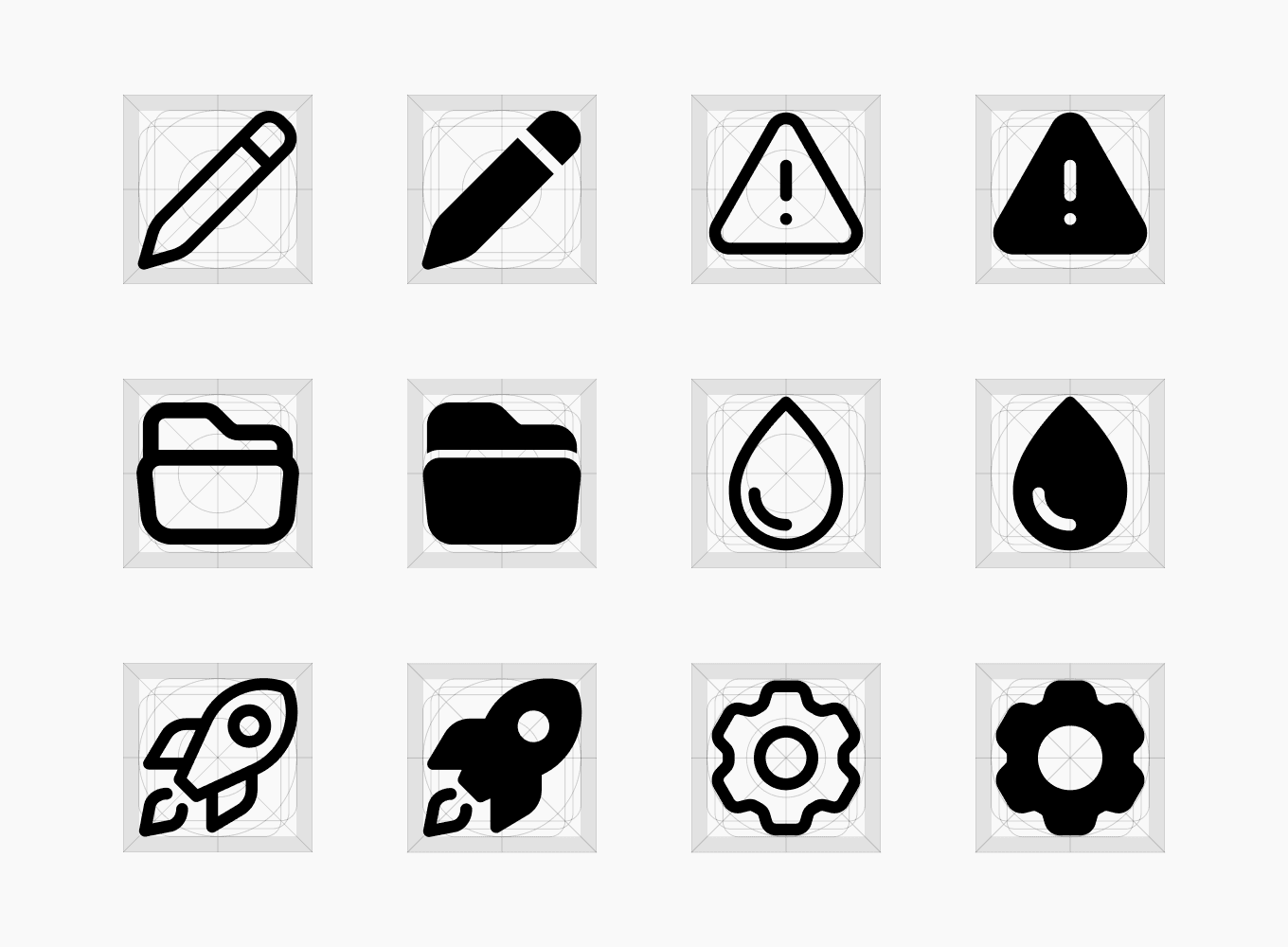
Designed Outline and Solid icons using the same rules for stroke width, proportions, spacing, and visual weight.
Starting with a standard 24×24 grid
I started by applying a common icon grid to all icons. Each icon has a 24×24 px size, because in practice this size is enough for most digital products and interface elements.


Creating a flexible visual style
I designed the icons with balanced shapes and soft corners, so they can work well in both strict and more friendly interface styles.


Adding Solid versions
I created a Solid version for every icon. This gives designers more flexibility and makes the icon set useful for different interface styles and levels of emphasis.

Designed to scale
I created one structure and shared design rules for the whole library. This makes it easier to add new icons without changing the existing system or losing visual consistency.

Results
As a result, the icons became one consistent and scalable system. A shared 24×24 grid, balanced shapes, and common visual rules help the icons work together in different digital products. Outline and Solid versions give designers more flexibility, while the same structure makes it easier to add new icons every week.
24×24
Standard grid used for every icon
2 styles
Outline and Solid versions for every icon
1 system
Shared rules for proportions, spacing, and visual weight
7 weekly
New icons added to the library every week
Another case from this project

Redesigning the marketing website
Improving structure, clarity, and visual consistency to create a better user experience and increase conversions.
Website Redesign
UI Design
UX Structure

Back Office Platform Design for Global Admissions
An internal platform for Global Admissions employees that helps manage leads, applicants, applications, payments, universities, articles, and user access.
Back Office UX
Data-Heavy Interfaces
Design System